Light Editor — Real-Time Realistic Lighting for RPG Maker MV and MV
A downloadable tool
About the plugin
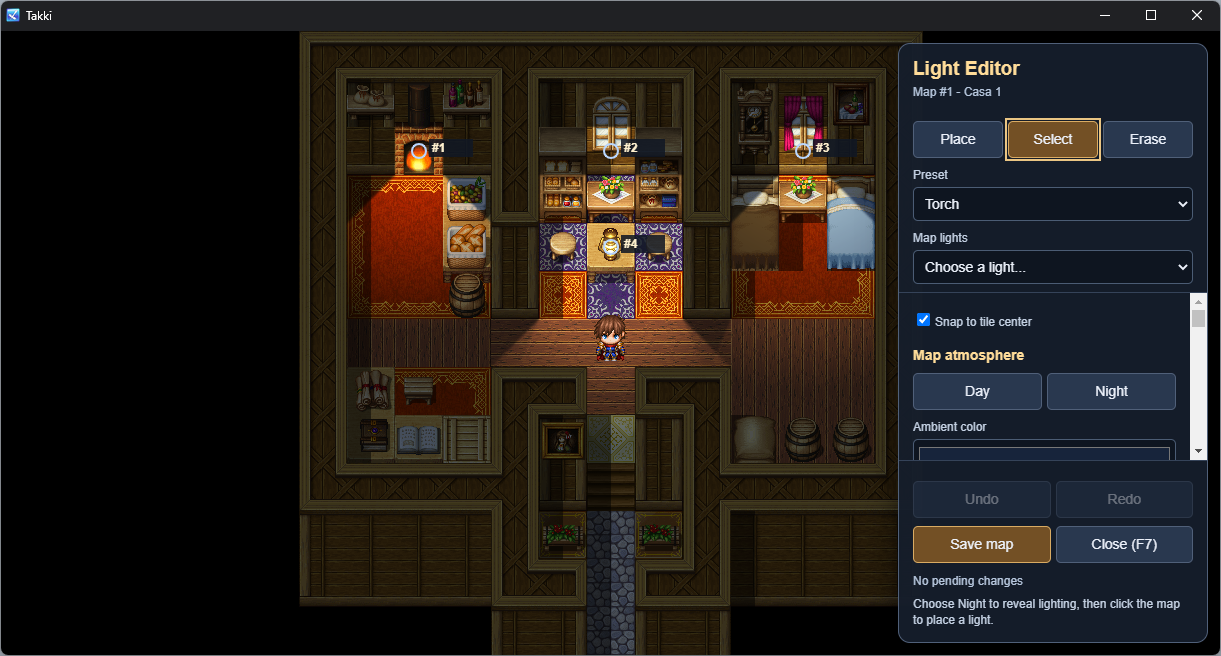
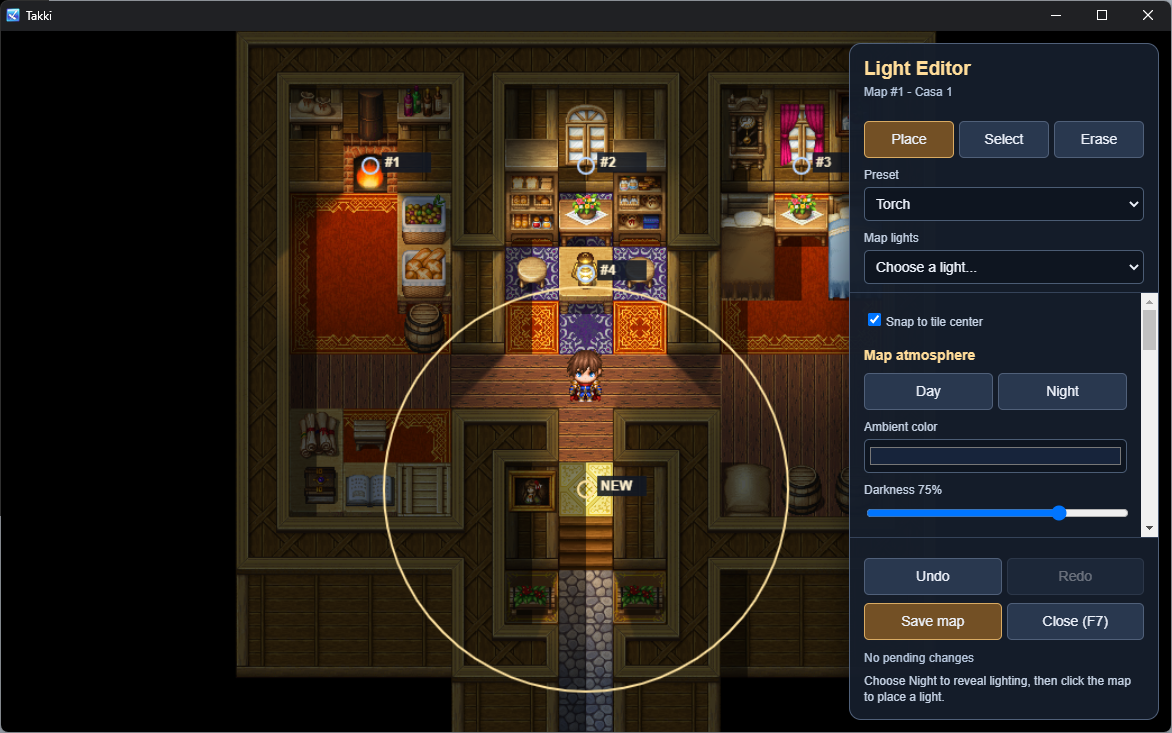
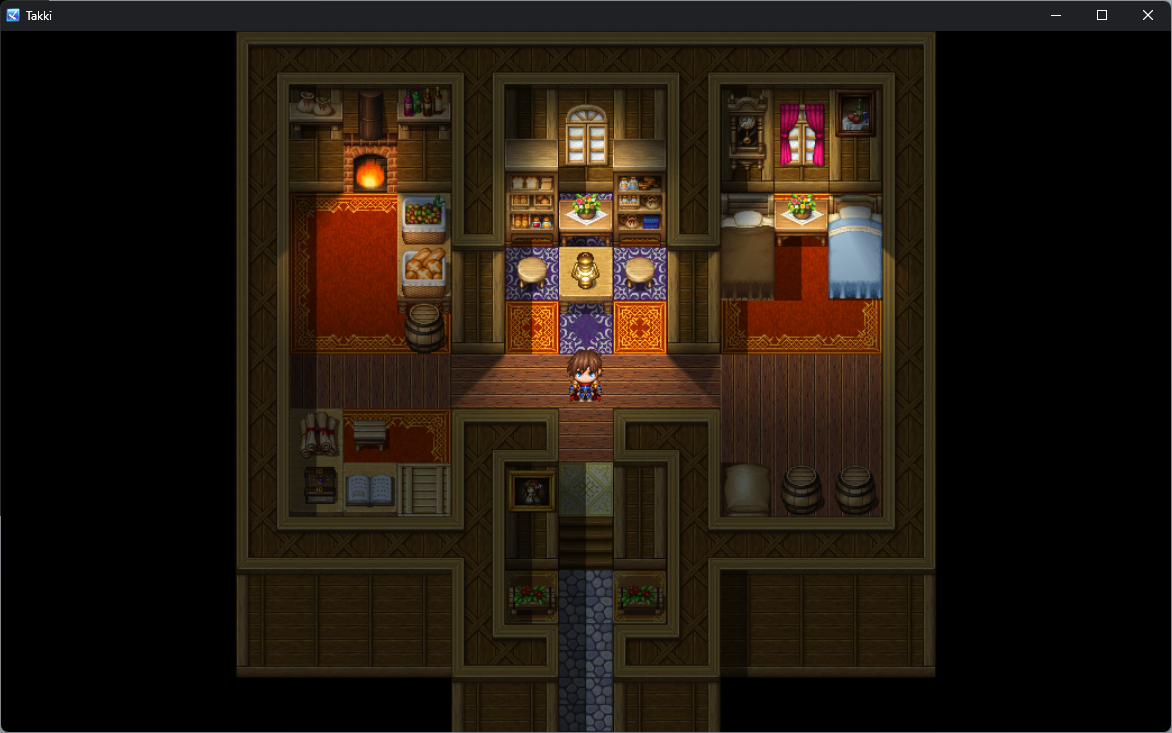
Takki Light Editor is a standalone RPG Maker MZ plugin that adds a live, in-game lighting editor. Place torches, windows, lamps and crystals on the map, tune color, radius, intensity and shadow in real time, and save the result with one click — no external images or other plugins required.
Light respects your map's walls: it does not pass through tiles tagged as roof, wall or block, so torches and windows cast real shadows instead of leaking through everything.
Key features
- Live visual editor — press F7 during a playtest to place, select, drag and duplicate lights directly on the map.
- 4 ready-made presets — Torch, Window, Crystal and Lamp, all fully adjustable.
- Map atmosphere — ambient color and overall darkness, with one-click Day/Night.
- Realistic shadows — light is blocked by walls, roofs and blocks tagged via Terrain Tag; wall-mounted torches still light up normally instead of self-shadowing.
- Wall spread glow — a subtle glow on surfaces near the light, without leaking to the other side.
- Optional soft shadows — adjust the light source size for penumbra, or leave it at 0px for hard-edged shadows.
- Directional lights — cones with adjustable angle and spread, alongside the classic radial mode.
- Distance falloff — linear (classic) or inverse-square (more realistic, with adjustable virtual height).
- Animated flicker — intensity variation for torches and fire.
- Full undo/redo, automatic map backups and browser JSON export.
- 100% standalone — no external images, no dependency on other plugins.
How it works
- Start a playtest and press F7 on the map.
- Choose Night to reveal lighting.
- Choose a preset, select Place and click the map to add a light.
- Adjust color, radius, intensity, shadow and direction — the preview updates live.
- Click Apply to light to commit the properties.
- Click Save map (desktop) or Export JSON (browser) to save.
Drag a selected light to move it. Duplicate copies its settings into a new light ready to place. Erase removes one light per click.
Setting up walls
In Database > Tilesets, mark the tiles that should block light with Terrain Tag 5, 6 or 7 (roof, wall or block — all three block light equally). This only applies to the ground layer (layer A) of the tileset; upper layers and passage settings do not affect light blocking.
Requirements
- RPG Maker MZ.
- No other plugins required.
- Works in desktop builds (NW.js) and in browser. Direct map saving is desktop-only; in browser, you export the JSON and replace the file manually in your project.
InstallationCopy
Takki_LightEditor.jsinto your project'sjs/pluginsfolder.- Enable the plugin in the Plugin Manager.
- Start a playtest and press F7 on the map.
Keep the plugin enabled when you deploy your game — it renders the saved lighting.
Keyboard shortcuts
Shortcut | Action |
|---|---|
F7 (or F10, configurable) | Open/close the editor |
Esc | Close the editor |
Arrow keys | Pan the editor camera |
Ctrl+S | Save map / export JSON |
Ctrl+Z | Undo |
Ctrl+Y / Ctrl+Shift+Z | Redo |
Current version — v1.3.2
- Now supports RPG Maker MV
Purchase
In order to download this tool you must purchase it at or above the minimum price of $5 USD. You will get access to the following files:
Leave a comment
Log in with itch.io to leave a comment.