SkillGrid - Sphere Grid Skill System (RPG Maker MZ Plugin)
A downloadable asset pack
SkillGrid — Sphere Grid Skill System for RPG Maker MZ
Give your characters a Final Fantasy X-style Sphere Grid — a connected node map where every stat boost and skill is earned, not just handed out on level up.
SkillGrid is a full skill/stat allocation system for RPG Maker MZ. Design a grid once, configure it entirely through the Plugin Manager, and every actor spends their own earned points unlocking nodes along the paths you built — no hand-written JSON, no core script edits.
✨ FEATURES
- Grid-based progression: Actors unlock connected nodes to gain stat bonuses or learn skills.
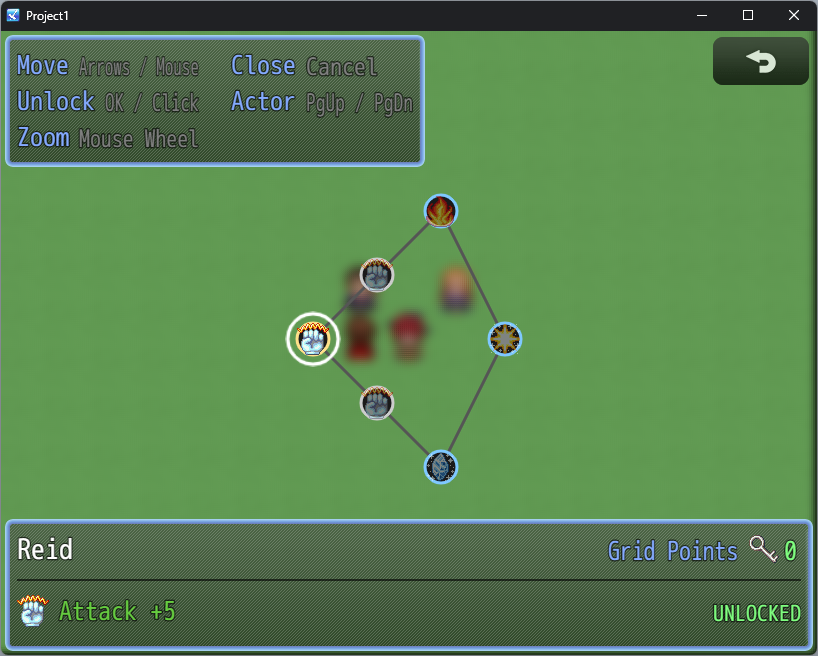
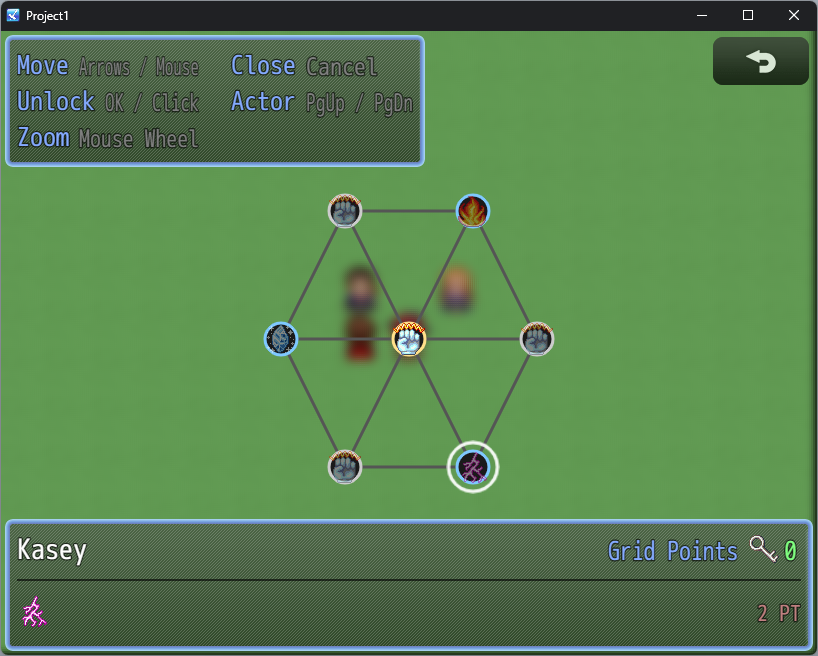
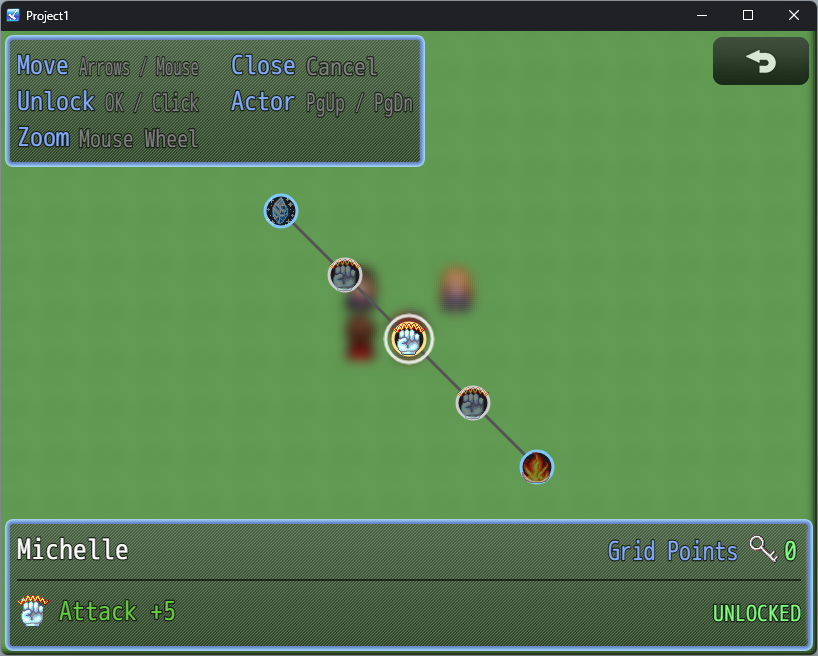
- Icon-based visual grid: Nodes render with icons, colored rings and connecting lines that light up once unlocked.
- Pan & zoom camera: Grids can be as large as you want — the camera follows the cursor and zooms with the mouse wheel.
- Full input support: Keyboard, gamepad and mouse (click to move, click again to unlock).
- Multi-actor support: Switch between party members with Page Up / Page Down without leaving the scene — each actor tracks their own points and unlocked nodes independently.
- Real engine integration: Stat bonuses apply through the engine's own
paramPlushook; skills are granted through the nativelearnSkill— both show up instantly in Status, Equip and battle, not just in the grid screen. - 3 ready-to-use sample grids: A branching grid, a radial hex-ring grid and a converging dual-path grid, included out of the box.
- No code required: Build grids, nodes and connections entirely through RPG Maker MZ's Plugin Manager.
- Optional WindowEffects integration: If you also own WindowEffects, SkillGrid's windows get animated entrances and unlock feedback automatically — no extra setup.
🗺️ GRID DESIGN
Node ID, position and connections — freeform layout, not locked to a fixed shape.
Stat Bonus nodes — boost any of the 8 core params (MHP, MMP, ATK, DEF, MAT, MDF, AGI, LUK) by a flat amount.
Skill Unlock nodes — teach any database skill on unlock.
Grid point cost per node, with points earned automatically on level up (rate configurable).
Custom icon per node, or automatic defaults by node type.
Entry node always unlocked for free — every grid has a clear starting point.
Grids are built entirely through the Plugin Manager's struct editor — no hand-written JSON, with dropdowns for node type and a built-in skill picker.
⚙️ HOW IT WORKS
A node can only be unlocked once it's connected to a node the actor has already unlocked, so the grid's shape controls the order players can progress in. Unlocking spends grid points and applies its effect immediately — no waiting, no separate confirmation step.
Each actor is linked to a grid through a simple note tag, and the same grid can be shared across multiple actors — each one tracks their own progress independently. Opening the grid is a single plugin command call, so it drops into a menu, an event, an NPC, or anywhere else that fits your game.
💻 EXAMPLE
<SkillGrid: warrior>
Plugin Command: SkillGrid → Open Skill Grid → Actor: 1
⚡ PERFORMANCE & COMPATIBILITY
SkillGrid is built for RPG Maker MZ and works standalone with no dependencies. All default icons used by the included sample grids come from the stock RTP IconSet, so everything displays correctly out of the box in any project. WindowEffects is fully optional and only adds visual polish when present, in any load order.
📜 LICENSE
Free for use in commercial and non-commercial RPG Maker MZ projects. Credit is appreciated but not required. If you'd like to give credit, simply mention SkillGrid by Takki in your project credits.
💬 SUPPORT
Found a bug, have a feature request, or want to suggest a new grid layout? Leave a comment on this page — I read everything.
Thanks for checking out SkillGrid, and happy developing! 🎮✨
Purchase
In order to download this asset pack you must purchase it at or above the minimum price of $2 USD. You will get access to the following files:
Leave a comment
Log in with itch.io to leave a comment.